Creation of an Odoo module in GitHub Codespaces
First customised Odoo module.
Practical development exercise
Module structure, manifest, Python models, XML views, security access, installation and functional testing

Creation of the Devcontainer configuration
Setting up the devcontainer.json file to prepare a complete Odoo development environment in GitHub Codespaces, with the necessary ports, Docker services, and the basic configuration to launch and test the project.

Addition of docker-compose.yml
Creation of the docker-compose.yml file to define the services required for the Odoo project: a PostgreSQL database and an Odoo container. This configuration allows for preparing the working environment, connecting Odoo to its database, and opening port 8069 to access the application from GitHub Codespaces.

Update devcontainer.json
Modification of the devcontainer.json file so that it now uses the docker-compose.yml file. This configuration allows GitHub Codespaces to directly launch the Odoo service, define the project's working directory, and automatically open port 8069 to access the Odoo interface.

Creation of the __manifest__.py file that describes the module to Odoo.
Addition of the file __manifest__.py, essential in an Odoo module. It allows for the declaration of the main information of the module: its name, version, description, author, category, dependencies, and installation method. Thanks to this file, Odoo can recognise the module and display it in the list of applications.

Creation of the model book.py
Creation of the file book.py in the models folder to define the main model of the module. This file allows for the creation of a new data structure in Odoo to manage a library, with several fields such as the book title, author, ISBN, number of pages, and publication date.

Creation of the module views with book_views.xml
Creation of the views folder and the file book_views.xml to define the module interface in Odoo. This file allows for the creation of list and form views to display and modify books, as well as the action and menu that make the module accessible from the Odoo application.

Module visible in Odoo applications
After the creation of the module files and the update of the applications list, the module My Library now appears in Odoo. It is recognised as an installable application, with its name, description, and category. It can now be activated to test its functionality in the Odoo environment.

Testing the “Books” form in Odoo
After activating the module My Library, the menu Books is accessible in Odoo. The form now allows the creation of a new book record with the fields defined in the model: title, author, ISBN, number of pages, and publication date. This step confirms that the Python model and the XML form view are working correctly.
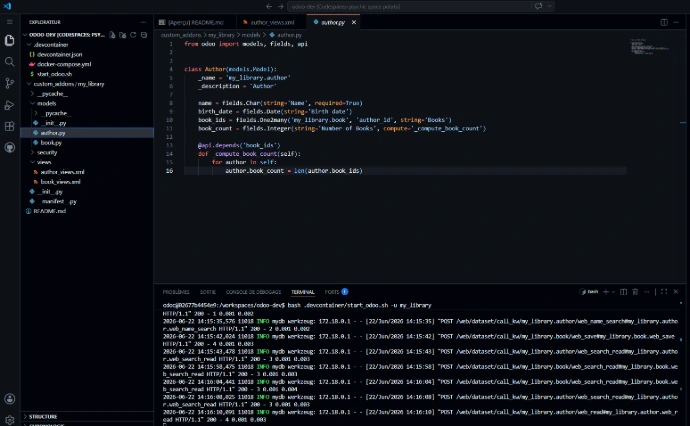
Creation of the Python model Author
In this Python file, I create the model Author using the Odoo ORM.
This model contains the author's fields, such as name, date of birth, the list of related books, and the automatically calculated number of books.
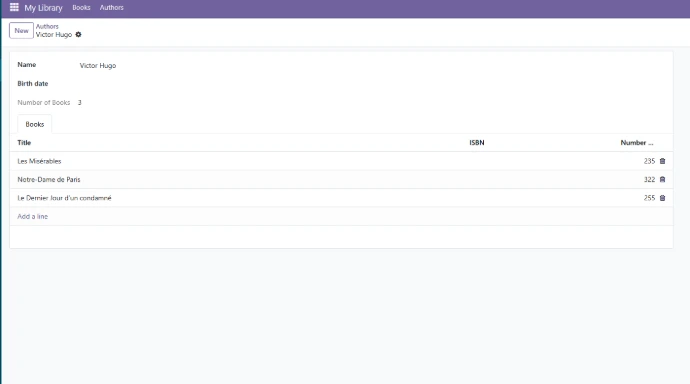
Displaying the calculated field in Odoo
This screenshot shows an author's record in Odoo with the field Number of Books.
This field automatically displays the number of books associated with the author.
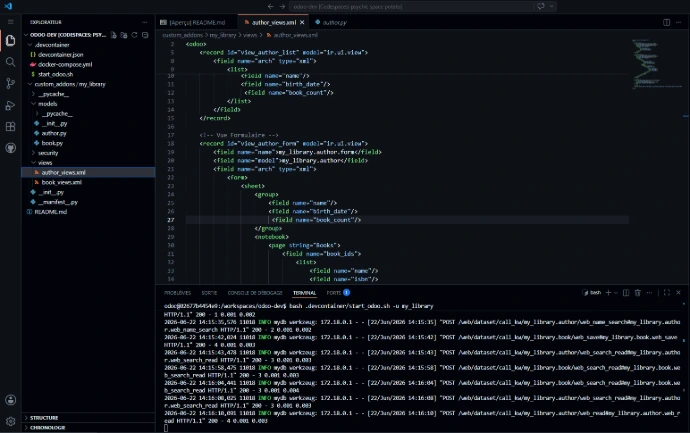
Creation of the XML views for the Author model
In this XML file, I define the views for the model Author.
The list view displays the authors, while the form view allows you to see detailed information and the books related to each author.
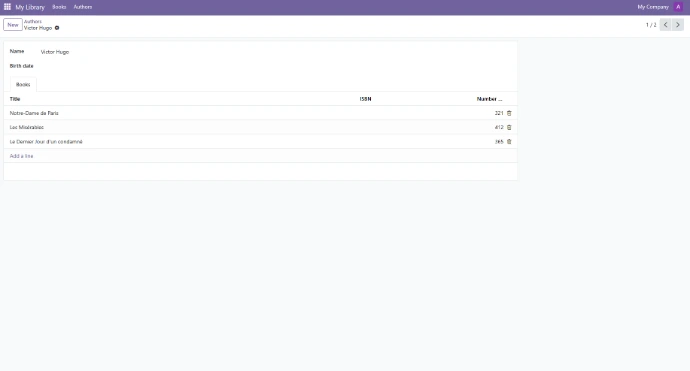
Relationship between the author and their books
This form view shows an author with their associated books in the tab Books.
The relationship between the models allows the related books to be displayed directly from the author's record.
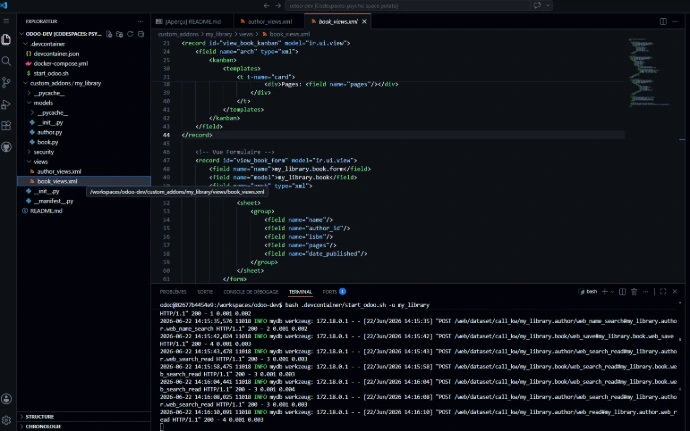
Creation of the XML views for the Book model
In this XML file, I define the views for the model Book.
Books can be displayed in list view, form view, and kanban view

Displaying books in kanban view
This capture shows the kanban view of books in Odoo.
Each book is presented as a card with its main information: title, author, ISBN, and number of pages.
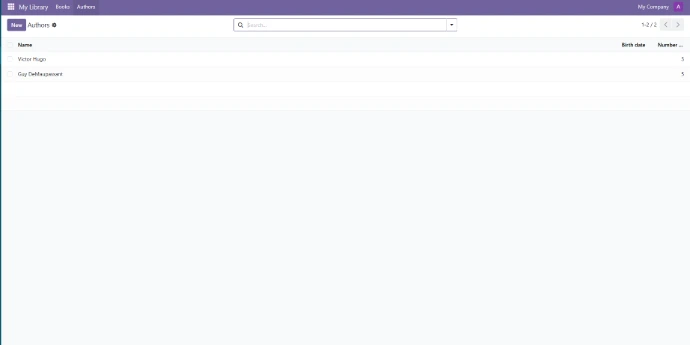
Display of authors in list view
This list view allows for a quick consultation of the authors registered in the module.
It displays the name of each author as well as the number of related books.

Display of books in list view
This list view displays all the books registered in the application.
One can see the main information such as the title, author, ISBN, number of pages, and publication date.

Result of the calculation of the number of books
This capture shows the result of the calculated field Number of Books in the list of authors.
Odoo automatically calculates the number of books related to each author thanks to the Python code and the relationship between the models.
Advanced Python certificate. Technofutur
Training undertaken to enhance my skills in Python programming, an essential language in the Odoo ecosystem.

I am currently continuing my training in Odoo development to strengthen my technical and functional skills. This page presents a first concrete application: creating a development environment, module structure, Python models, XML views, and tests in Odoo. My goal is to progress step by step to be able to work on simple Odoo projects, providing functional and technical support, with a serious, practical, and field-oriented approach.